Bonjour à tous, je rencontre des difficultés pour enregistrer des blocs. J’y suis parvenu dans une certaine mesure, mais ma méthode actuelle manque de fiabilité ; je cherche la bonne approche. Par ailleurs, je n’ai pas trouvé de bibliothèque pour les symboles de cotation fonctionnelle ; peut-être qu’une gestion appropriée des blocs permettrait de résoudre ce problème.
Hello everyone, I’m having trouble saving blocks. I’ve managed to do it to some extent, but my current method isn’t very reliable; I’m looking for the right approach. Also, I haven’t found a library for functional dimensioning symbols, so perhaps handling the blocks correctly could do the trick.
Basically blocks are stored inside the DXF where they are used.
Editing a block does not need a separate saving action. Just close the block editor, saving the drawing will save the modified block too.
You can save a block into a separate file, but this is just for export.
To create reusable blocks create components as a single DXF file, not a block!
Save the DXF to a library location and you can access the component by library browser. Organize component files in sub folders, their file names will be the block names in the library browser.
I’m not sure what you exactly mean with functional dimensioning symbols. What’s the difference to existing dimensioning in LibreCAD?
If you can add some details or examples, there might come some answers.
References:
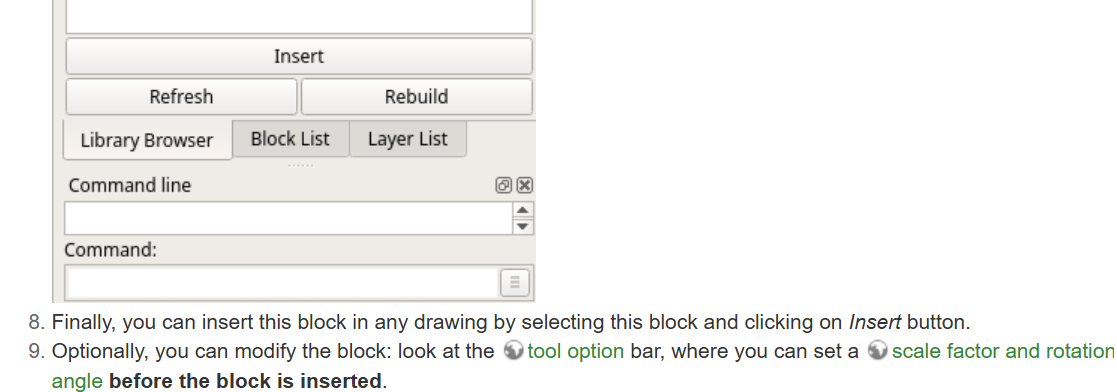
Merci pour la réponse. Ce que je n’arrive pas à avoir, c’est la fenètre des options de l’outil
Thanks for the reply. What I can’t seem to get is the tool’s options window.
Version LibreCad 2.2.1.5
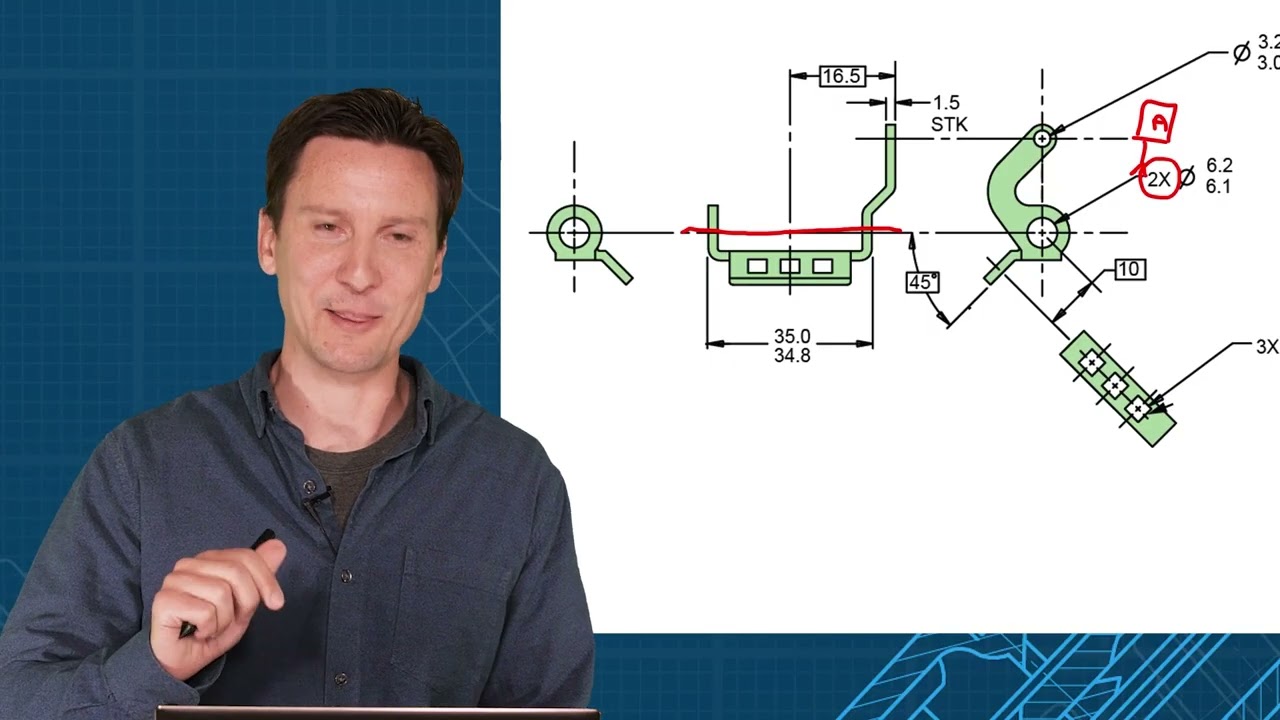
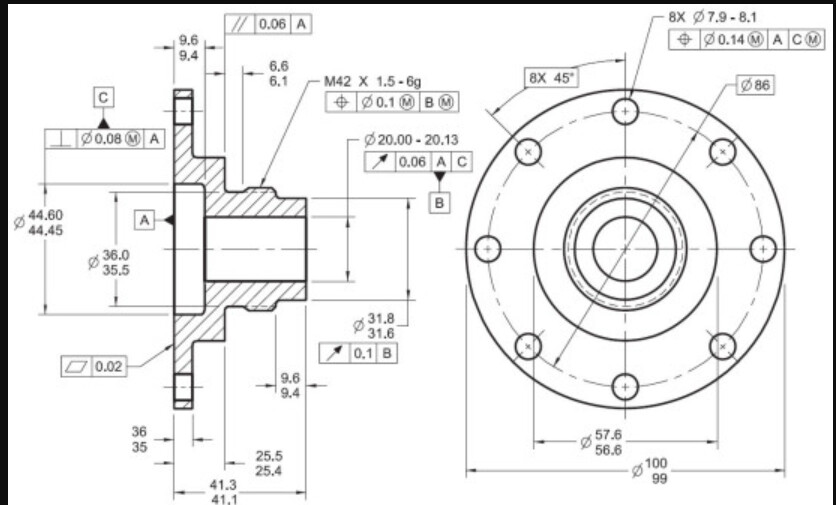
Si besoin, voici un exemple dans le principe de la cotation fonctionnelle utilisée régulièrement en mécanique de précision.
If needed, here is an example illustrating the principle of functional dimensioning, which is commonly used in precision engineering.
Check in Widgets/Toolbars that Tool Options is checked.
The options for blocks appear after you click insert and you see the floating block. Then you can change scale factor and rotation before you click in the drawing area to place the block.
You can change this and more afterwards, with Modify/Preferences tool.
Ah ! OK LordOfBikes
Bien vu, L’affichage est un peu furtif mais j’ai pu utiliser la chose . Merci
Cordialement, Celmar
Good catch. The display is a bit fleeting, but I was able to use it. Thanks.
Best regards, Celmar
En fait, avec mon Pc sous Win 10 c’est OK. Avec mon Pc sous Win 11, ça ne fonctionne pas
Actually, it works fine on my PC running Windows 10. It doesn’t work on my PC running Windows 11.